
Apple Reminders and Google Calendar: what shows where
Apple Reminders can't sync to Google Calendar: neither app has a setting for it, and Google's calendar connection for other apps carries events only. The free way to see both together runs the other way. Add your Google account to Apple's Calendar app and turn on Scheduled Reminders, and your reminders sit on their days beside your Google events. To have a dated to-do on Google Calendar itself, make it a Google task, or use a sync app, which keeps the date and drops the time.
Last updated
Apple Reminders can’t sync to Google Calendar. Neither app has a setting for it. What you can have for free is the reverse: your Google Calendar inside Apple’s Calendar app, which already shows your reminders on the days they’re due.
Say your reminders live on an iPhone and your work calendar is Google’s. Three reminders matter this week: “Pay the rent” on 1 December, all day, repeating monthly; “Call the dentist” on Thursday 3 December at 3:00 pm; and “Buy stamps”, with no date. Work has put “Team meeting” on Thursday at 2:00. You want the rent and the dentist on the same calendar as the meeting.
Only events cross between Apple and Google
Add a Google account to an iPhone and, in Google’s words, “Emails, contacts, and calendar events will now sync.” To-dos aren’t in that sentence, in either direction. The connection Google gives other calendar apps doesn’t support to-dos, so a Google task never reaches an Apple app. Reminders takes its lists from accounts such as iCloud, Microsoft Exchange and Yahoo, and Apple’s rule for every other account is short: “If you don’t see Reminders in the list, the provider doesn’t offer a reminders feature.” Going the other way, a company that sells a bridge between the two says it plainly: “Apple Reminders and Google Calendar don’t connect on their own.”
That leaves this:
| Apple’s Calendar app | Google Calendar | Apple Reminders | |
|---|---|---|---|
| “Team meeting”, a Google event | Yes, once the account is added | Yes | No |
| “Call the dentist”, a reminder with a date and time | Yes, at 3:00 pm | No | Yes |
| “Buy stamps”, a reminder with no date | No | No | Yes |
| A Google task with a date | No | Yes | No |
Apple’s Calendar is the only column with a yes for both the meeting and the dentist.
Apple’s Calendar shows the meeting and the reminders together
Since iOS 18, scheduled reminders appear in the Calendar app alongside your events. With the Google account added, that is the calendar you wanted.
- Open Settings, tap Apps, then Calendar, then Calendar Accounts, then Add Account, and choose Google. Sign in. If you want the calendar and nothing else from that account, turn the other services off. “Team meeting” now shows in the Calendar app on Thursday at 2:00.
- In the Calendar app, tap Calendars at the bottom of the screen and select Scheduled Reminders. “Pay the rent” appears in the all-day section of 1 December, and “Call the dentist” at 3:00 pm on Thursday, under the meeting.
- Tap the circle beside “Call the dentist” when it’s done. It dims on the calendar and is ticked off in Reminders, because it is the same reminder.
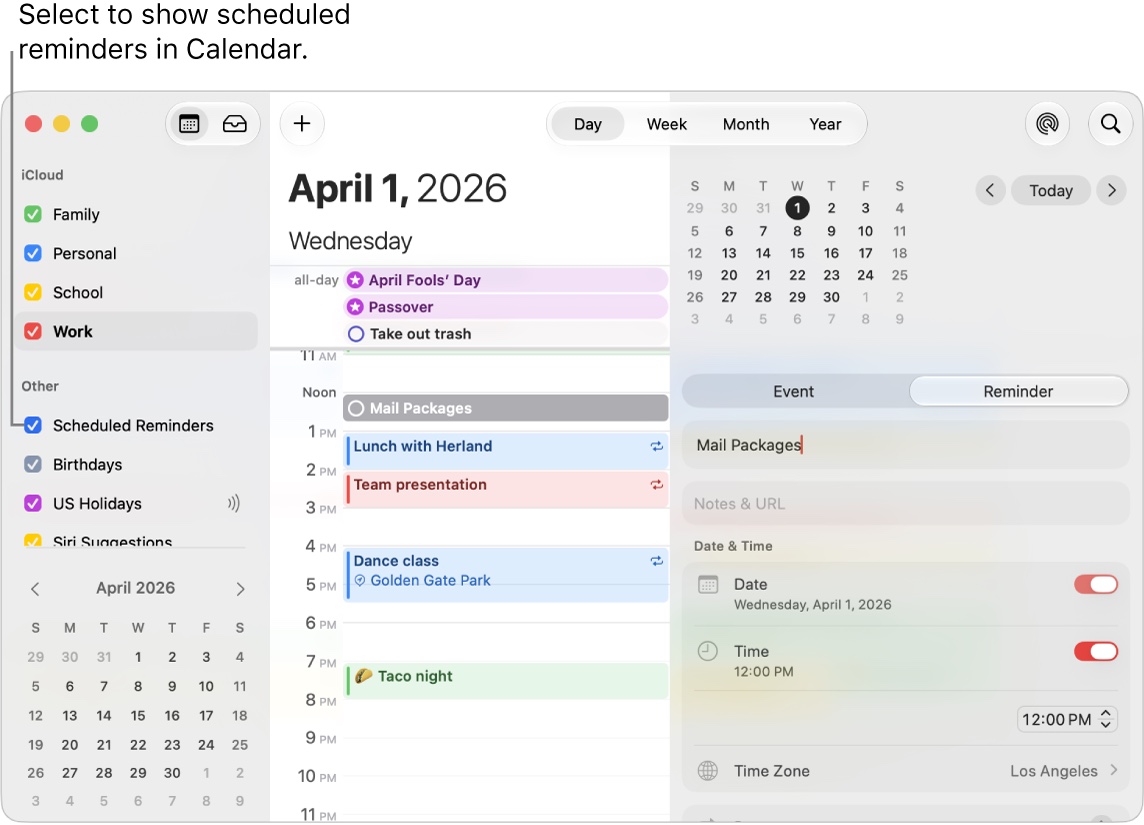
“Buy stamps” stays out. Calendar shows reminders that have a date, and it has none.
The rent repeats, and Calendar shows the later months dimmed. A later one can be marked complete only after the current one is, so you can’t pay January ahead on the calendar.
You can also make a reminder without leaving Calendar: tap Add, then Reminder, give it a title, tap Date, and turn on Time if it needs one. On a Mac it’s the same switch in a different place: the Scheduled Reminders checkbox in Calendar’s list on the left.
If it has to be Google Calendar, make it a Google task
Apple’s Calendar is on your iPhone and your Mac. It isn’t the Google Calendar tab on the work laptop, and a reminder doesn’t appear there whatever you do on the phone. For a dated to-do to show in Google Calendar itself, it has to be a Google task.
- In the Google Calendar app on the iPhone, tap an empty slot on Thursday, then Task.
- Type “Call the dentist”, set 3:00 pm and tap Save.
- If it doesn’t appear, tap Menu at the top left and check the Tasks box. A task needs a date to show on the calendar at all.
You’re notified at 3:00. A task with a date and no time notifies at 9 AM. For the rent, choose the date, then Repeat.
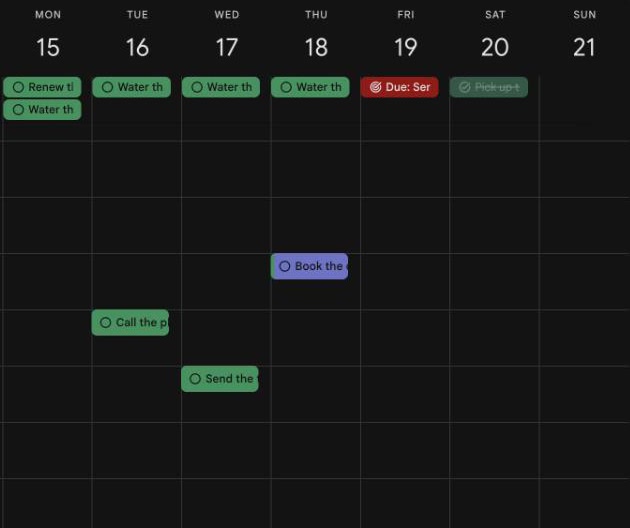
The price is that this to-do now lives in Google Tasks, apart from the rest of your reminders. What each app keeps that the other doesn’t decides whether that’s a fair trade for you. If you go this way and work on a Mac, there are several ways to keep Google Tasks in view without the browser tab.
No sync app carries a reminder across whole
Four tools promise to do the copying for you. Here is what each does with “Call the dentist”, Thursday at 3:00 pm. Prices are from November 2026.
| What lands on Google Calendar | What it loses | Where it runs | Cost | |
|---|---|---|---|---|
| gtsync | A Google task on Thursday, in the all-day row | The time, alerts, priority, repeats | iPhone, iPad, Mac | $4.99 |
| ReminderBridge | A Google task on Thursday, in the all-day row | The time, alarms, subtasks, repeats | A Mac, every 15 to 60 minutes | $7.99 once |
| IFTTT | An event, made when the reminder is added | The due date | Its iPhone app, checking hourly on the free plan | Free, or from $2.09 a month billed yearly |
| Morgen | A block of time, when you drag a reminder onto the calendar yourself | Nothing is copied until you drag it | A Mac, in beta | A Morgen Pro subscription |
The first two turn reminders into Google tasks, and they lose the time for the same reason. Google lets other apps set a task’s date and nothing more exact: “the time portion of the timestamp is discarded.” I build Sidekick, a Google Tasks app for the Mac, on that same API, and a date is all it hands me too. So the dentist arrives as a task for Thursday, with no 3:00, and the rent arrives without its monthly repeat.
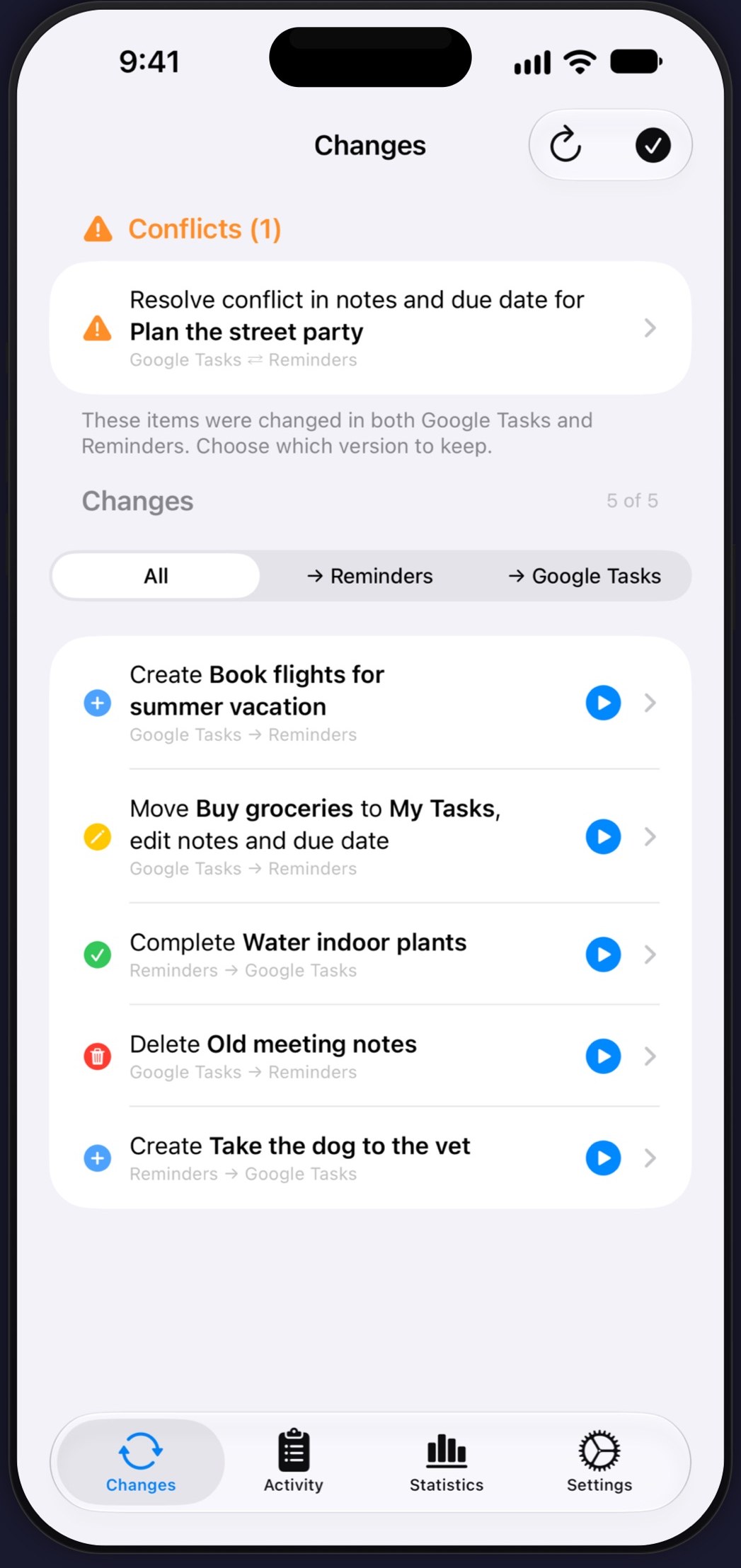
IFTTT loses more. When you add a reminder, its applet is handed the title, notes, list, priority and creation date. The due date isn’t among them. The event it makes is placed by the words it’s given, so the title has to say when: “Call the dentist Thursday 3pm”.
Reviews of ReminderBridge are split. One buyer writes “I finally found the app I needed”; another reports extra copies of tasks on both sides, and a third lost reminders. If you try one of these, start with a single list you could retype.
Which to use
- You look at your calendar on the iPhone or the Mac. Add the Google account to Apple’s Calendar and turn on Scheduled Reminders. It’s free, the times are kept, and nothing is copied anywhere.
- It has to show in Google Calendar on the web, or on a device that isn’t Apple’s. Make those to-dos Google tasks, in the Google Calendar app.
- You have too many reminders to retype and the day is enough. gtsync, on one list first.
Questions
Can Apple Reminders sync with Google Calendar?
No. Neither app has a setting that sends reminders to Google Calendar. You can see both on one calendar by adding your Google account to Apple's Calendar app and turning on Scheduled Reminders, or copy reminders into Google Tasks with a sync app, which keeps the date and loses the time.
How do I see my reminders and my Google Calendar together on an iPhone?
Add your Google account under Settings, Apps, Calendar, Calendar Accounts. Then open Apple's Calendar app, tap Calendars at the bottom and select Scheduled Reminders. Reminders with a date appear on their day beside your Google events. This needs iOS 18 or later.
Do Google Tasks show in Apple's Calendar or Reminders?
No. The connection Google gives other calendar apps carries events and no to-dos, so a Google task appears in Google Calendar, Gmail and the Google Tasks app, and not in Apple's Calendar or Reminders.
Can Google Calendar events show in Apple Reminders?
Not as reminders. Google Calendar events show in Apple's Calendar app once the Google account is added, beside your scheduled reminders. IFTTT can add a reminder to a list when a Google Calendar event is made, as a one-way copy.
Does IFTTT sync Apple Reminders to Google Calendar?
It copies one way. Its applet makes a Google Calendar event when you add a reminder, and it is handed the reminder's title, notes, list, priority and creation date, with no due date. The event lands at the right time only if the title itself says when.
Why does my reminder lose its time when a sync app copies it to Google Tasks?
Google lets other apps set a task's date and nothing more exact. Its reference says the time portion is discarded, so a reminder for 3:00 pm arrives in Google Tasks as a task for that day, and Google Calendar shows it in the all-day row.