
Tasks in Gemini is not Google Tasks
Tasks in Gemini is an AI agent that does work for you, such as sorting an inbox or booking an appointment, and keeps that work in Gemini's sidebar. Google Tasks is the to-do list in Gmail, Calendar and the Tasks app. To add to the list from Gemini, stay on Chat and put @Google Tasks in the request; the agent can also add, change and delete Google Tasks, and Google says it can do that in bulk without asking first.
Last updated
Say you keep your to-dos in Google Tasks, and on Monday you open Gemini and find a new toggle under the prompt box: Chat on one side, Task on the other. You have three things to hand over. “Renew the car insurance” has to be done by Friday. You’d like your inbox reviewed every Monday morning. And last month’s trip left a dozen tasks in your list that can go.
The shared name has been well mocked, and it is the smaller problem. The two are already joined, in one direction. A task you give Gemini is kept in Gemini’s sidebar, not in your list. Gemini’s agent, though, can add to your list, change it and delete from it, and Google says it can do that in bulk without asking. I build Sidekick, a Google Tasks app for the Mac, and Sidekick for AI, which lets Claude and ChatGPT into the same list, so that last part is the one I’d want anyone with a long list to know.
Two things behind one toggle
Google’s help for the agent starts with one instruction: “Below the text box, click Task.” After that, what you type is a job for Gemini to carry out in the background.
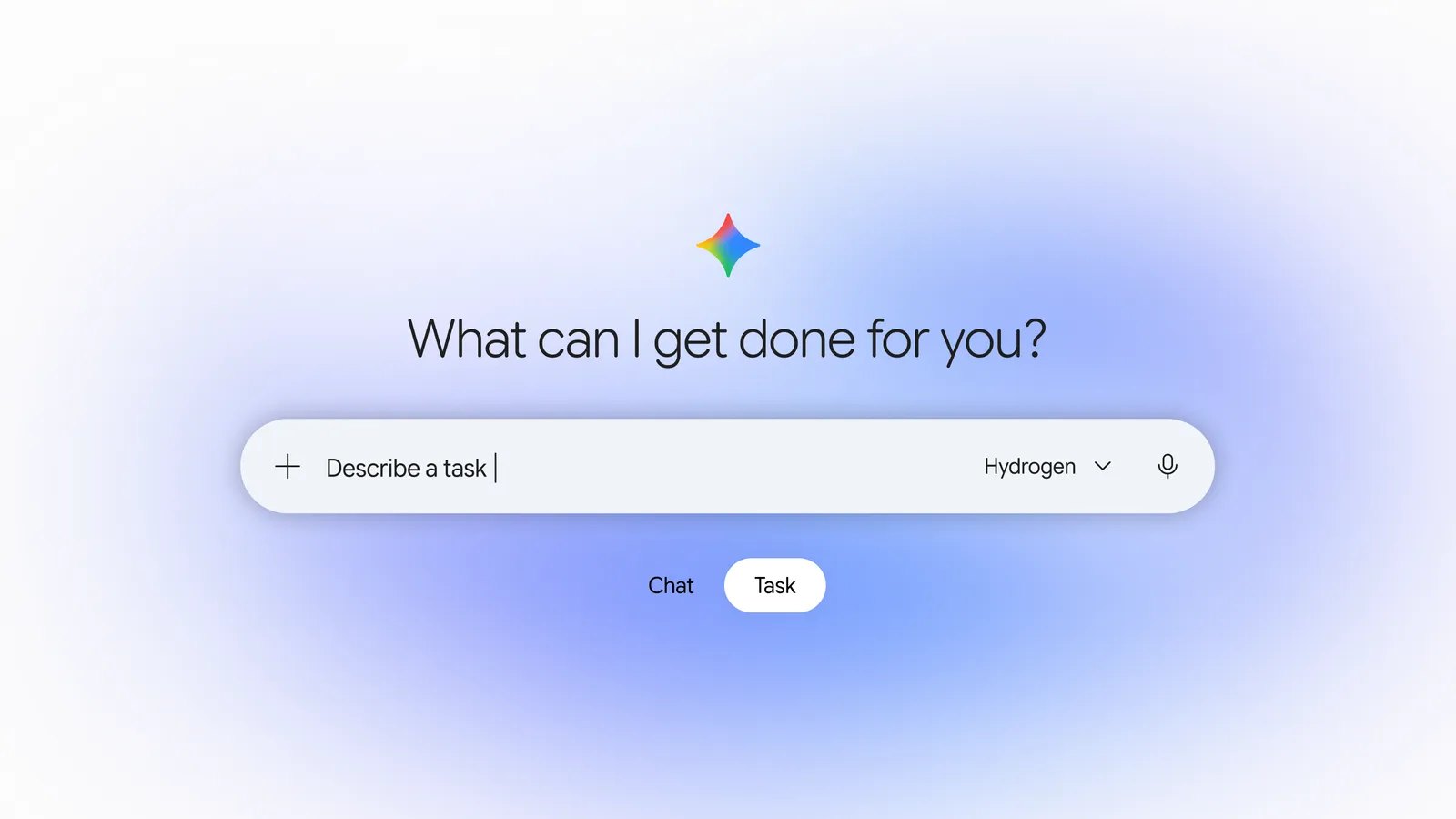
This is the agent Google launched as Spark in May 2026. On 17 November 2026 it became free in six countries: the US, Canada, Australia, India, Japan and South Korea. Google’s announcement has it phoning two car dealerships to book a service and buying a charger with Google Pay. It needs a personal Google Account, an age of 18 or over, and History turned on in Gemini. It isn’t available on work or school accounts.
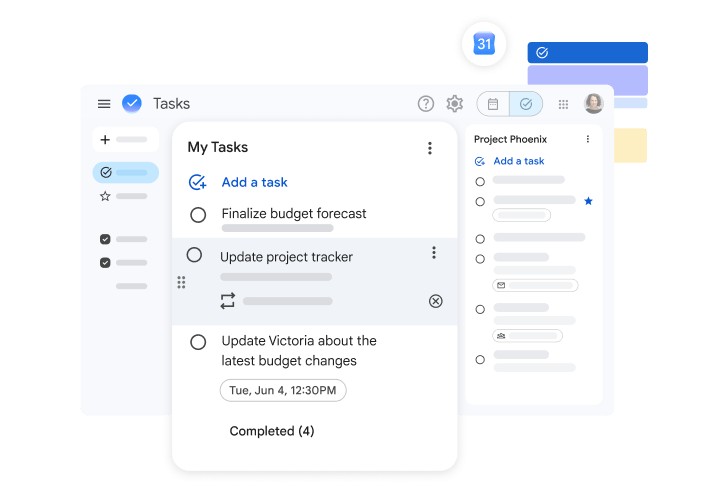
Google Tasks is the list. It’s the panel on the right of Gmail and Calendar and the Tasks app on your phone, with My Tasks at the top and “Add a task” under it.
| Tasks in Gemini | Google Tasks | |
|---|---|---|
| What it is | An agent that carries out work you describe | A to-do list |
| Where its things live | Gemini’s sidebar, as threads | Lists in Gmail, Calendar and the Tasks app |
| What a “task” is | A job for Gemini, which can run on a schedule | A line with a title, and a date if you give it one |
| Who does it | Gemini | You |
| Accounts | Personal only, 18 or over | Personal, work and school |
Google’s explanation for the name is on the same help page, under “Where did Spark go?”: people testing Spark “really wanted Gemini to just help them finish ‘tasks.’ That’s the word that kept coming up, so we renamed it Task to make it easier to understand.”
The insurance: a to-do belongs on the Chat side
“Renew the car insurance” is something you will do yourself, so it belongs in Google Tasks. Leave the toggle on Chat and type:
Add “Renew the car insurance” to my tasks for Friday @Google Tasks
“@Google Tasks” is Google’s own tip for telling Gemini which app you mean. Three things have to be true first: you’re signed in, History is on, and Google Workspace is connected to Gemini. Workspace here is Gemini’s name for one connection that covers Gmail, Calendar, Drive, Keep and Tasks, on a personal account too. If it isn’t connected, Gemini offers to connect it when you ask.
The answer comes back with an Undo button in the confirmation and a link to the list under the response. Open the link. It shows the task in its list. Gemini’s sentence saying it’s done doesn’t.
Chat takes the rest of what you’d do in the list as well: “What are my upcoming tasks?”, “Mark [task name] as done in Tasks”, “Change the date of [task name] task to [date]”.
The Monday inbox review: Gemini’s task, kept in Gemini
The inbox review is work, and it repeats, so it goes on the Task side. Google’s own example is close to what you want:
Every Monday at 9.00 am, scan my inbox and review my emails from the past week. Give me a quick recap of the most important updates and provide a suggested, prioritised to-do list for this week.
Send that with the toggle on Task and you have a task with a schedule. It lives in Gemini’s sidebar, with your chats, as a thread marked Ready, Needs attention or In progress. Next to “All” there is a filter for those three. You can have up to 15 running at once.
Google’s example ends on a “to-do list”. Nothing in that request names Google Tasks. It asks for a recap and a list, and both arrive in the thread.
Google Tasks is among the apps the agent can use, along with Gmail, Calendar, Drive, Docs, Sheets, Slides and Keep. So end the request with where the result should go: “and add each item to my Google Tasks list called This week”. Then the week’s to-dos sit beside your Gmail and on your calendar with the rest, and the thread keeps the recap.
The trip tasks: the agent deletes in bulk without asking
The trip tasks are the one request that costs something if it goes wrong. Gemini’s help offers the prompt itself: “Delete my tasks about [topic, activity, event].” Gemini decides which tasks are “about” the trip.
On the Chat side, a change comes with the Undo button in its confirmation. There is one exception on the help page: an action made with Gemini Live running in the background can’t be undone by Gemini.
On the Task side, Google’s help says this, under the Google Tasks heading:
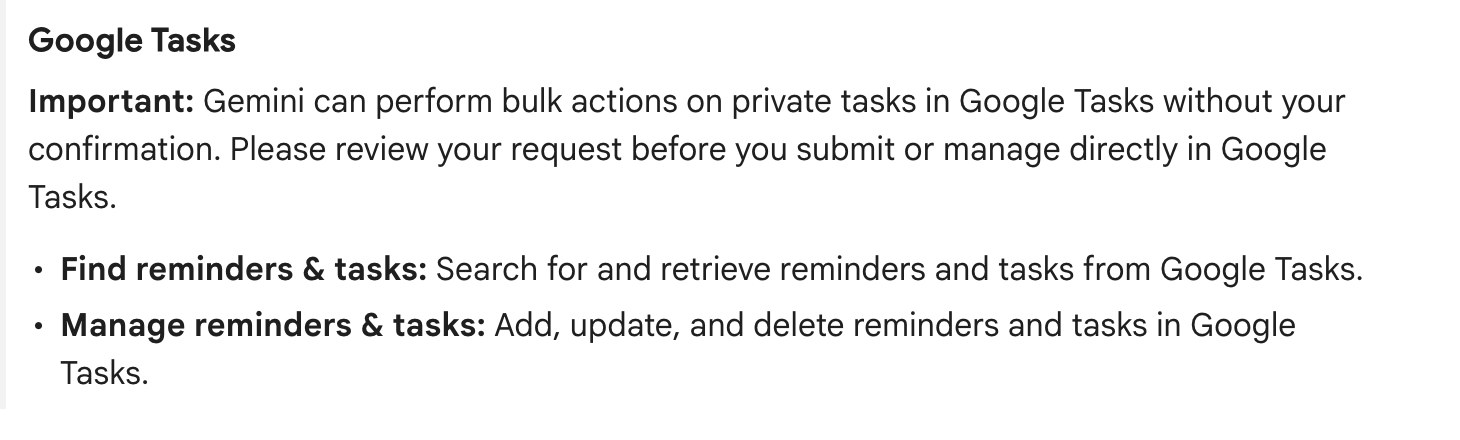
The same agent is designed to stop and ask before it clicks “Buy”. For a dozen tasks leaving your list, Google promises no such stop. To undo, the help page says to click the link in Gemini’s confirmation and make your changes in Google Tasks yourself.
I had to settle the same question when I built Sidekick for AI, and I went the other way. A delete there takes two steps: first a preview that names every task that would go, then a delete that accepts only that preview and never more than 200 tasks. It is slower, and I’d still choose it for anything that removes things from a list I rely on.
For the trip tasks, delete them by hand in Google Tasks, or ask on the Chat side, where the Undo is.
Keeping the two apart
- Put to-dos in from Chat. Add “@Google Tasks” to the request. A confirmation appears with Undo and a link to the list.
- Give work to Task, and say where the result goes. If the work produces to-dos, end with “add them to Google Tasks” and name the list. The thread appears in the sidebar; the to-dos appear in the list.
- Delete from Chat, or in Google Tasks itself. Before sending any request that deletes or changes several tasks, read it once for what else it could match. “My tasks about the trip” could also match next year’s trip.
- Turn the agent off if you don’t want it. In Gemini on the web: Settings, then Task settings, then Turn off under “Use task mode to hand off work”. Schedules stop running, and your tasks, threads and schedules are kept. To cut Gemini off from your list entirely, disconnect Google Workspace in Connected Apps, which also cuts it off from Gmail, Calendar and Drive.
Where it goes wrong
- Gemini says it added the task and the list doesn’t have it. In February 2026, people in Google’s Gemini help forum reported the phone app answering “I don’t have the ability to make Tasks”, or confirming a task that never arrived, while the same request on the web worked. If there is no link to a list under the answer, check Google Tasks before you trust it, and try gemini.google.com.
- There’s no Task toggle. A work or school account doesn’t get one. Nor does a free account outside the six countries; elsewhere it needs a Google AI Pro or Ultra subscription, and it isn’t offered in the European Economic Area, the UK, Switzerland or Nigeria. Adding to Google Tasks from Chat is a separate feature and doesn’t depend on the toggle.
- The name changes from page to page. The toggle says Task. The product page says “tasks in Gemini” and has a tab called Tasks. PPC Land counted the variants across Google’s own posts. On Google’s help pages one thing holds: “Google Tasks”, with the Google, means the list.
What other AI apps get: the date, not the time
Say the insurance has to be renewed by phone, at 3 pm on Friday. A task in Google Tasks can have a time as well as a date, and Gemini’s help gives the prompt for it: “Remind me on [date] at [time] to [task]”. Claude and ChatGPT can’t set that time.
Other apps reach Google Tasks through its API, the door Google gives outside developers, and that door is narrower. Google’s reference says of a task’s due field: “Only date information is recorded”, and “It isn’t possible to read or write the time that a task is scheduled for using the API.”
So when Claude adds the insurance task to Google Tasks, through my connector or anyone else’s, it can make it due on Friday and can’t make it due at 3 pm. If the time matters, ask Gemini on the Chat side, or set it yourself in Google Tasks.
Questions
Is Tasks in Gemini the same as Google Tasks?
No. Tasks in Gemini is an AI agent, called Spark when it launched in May 2026, that carries out work you describe. Google Tasks is the to-do list that shows in Gmail, Google Calendar and the Tasks app. They share a word, and Gemini can reach the list.
How do I add a task to Google Tasks from Gemini?
Leave the toggle under the prompt box on Chat and ask Gemini to add the task, with @Google Tasks in the request. Google Workspace has to be connected to Gemini, and History has to be on. The answer comes with an Undo button and a link to the list the task went to.
Where are the tasks I gave to Gemini?
In Gemini's sidebar, with your chats. Each one is a thread marked Ready, Needs attention or In progress, and you can filter by those. They are not items in Google Tasks.
Can Gemini delete my Google Tasks?
Yes, from both sides of the toggle. In Chat a delete comes with an Undo button. For the agent, Google's help says Gemini can perform bulk actions on private tasks in Google Tasks without your confirmation, and asks you to review the request before sending it.
Why don't I see the Task toggle in Gemini?
The agent needs a personal Google Account, an age of 18 or over and History turned on, and it isn't available on work or school accounts. It is free in Australia, Canada, India, Japan, South Korea and the US, and needs a Google AI Pro or Ultra subscription in most other countries.
What happened to Gemini Spark?
Google renamed it. Its help page says people kept describing what they wanted as finishing tasks, so Spark became Task, and it now sits in the Chat and Task toggle next to the prompt box. Tasks and schedules made under the old name are still in the sidebar.